


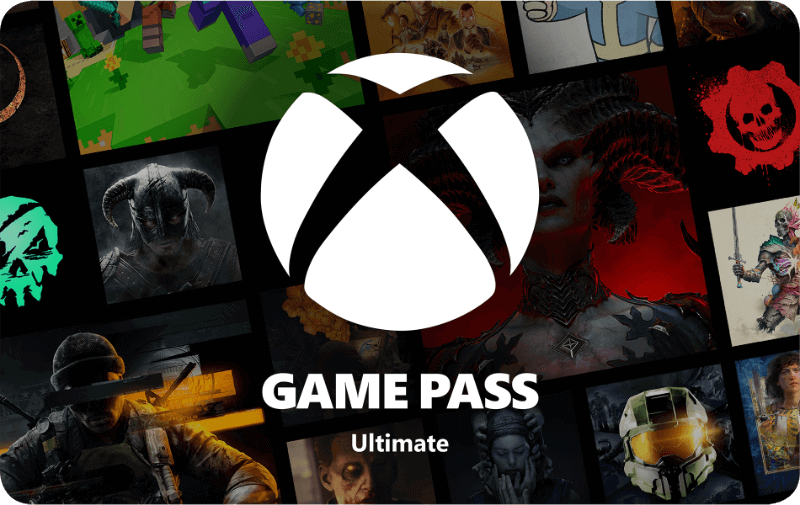

Xbox Game Pass Ultimate - 3 months
- Play multiplayer games online
- Enjoy more than 400 games included in the Ultimate library
- New Xbox and third-party games added on day one
Information
Why is Xbox Game Pass Ultimate so popular among gamers?
Xbox Game Pass is Microsoft’s flagship gaming subscription for Xbox consoles and Windows PCs. It comes in four different versions, including three tiers for Xbox and one for PC users. Every membership includes unlimited access to a rotating catalog of hundreds of games that can be played at no extra cost during your subscription period.
Xbox-oriented tiers also unlock online multiplayer and cloud streaming, meaning you can start playing games instantly, even without downloading them. Thanks to its variety, convenience, and overall value, Game Pass has become a must-have for many Xbox players.
What do you get with a Game Pass Ultimate 3 months plan?
Game Pass Ultimate is the highest tier available and includes every feature from the other plans, plus day-one access to select games and broader compatibility. It’s perfect for players who want the full experience across Xbox, PC, and mobile. Here’s what’s included:
- A catalog of over 400 games across Xbox, PC and supported devices
- New Xbox Game Studios releases and select third-party games on launch day
- Cloud gaming with support for select owned games
- EA Play, Ubisoft+ Classics, and Fortnite Crew access
- Online multiplayer on Xbox consoles
- Up to 100,000 Microsoft Rewards points annually
- Exclusive perks for games like League of Legends and Call of Duty Warzone
Why should you use cloud streaming with Game Pass?
Cloud streaming gives you instant access to your games without downloading them first. It is perfect for gamers with limited storage or those who want to test a game without installation. Best of all, you are not tied to one device. With cloud streaming, you can play on your Xbox, Windows PC, smartphone, tablet, or even select smart TVs. You take your games with you, wherever you go.
Is a 3 month Game Pass Ultimate subscription worth it?
This version offers three full months of the best Game Pass experience available. If you enjoy playing frequently, trying new releases, and accessing Xbox titles across devices, then this is a great option. For more flexibility or a lower price point, other versions like Essential or Premium are also available, along with different durations.
Which games are available with Game Pass Ultimate?
At any given time, Game Pass Ultimate includes access to a minimum of 400 games, often climbing above 600 titles. The catalog changes frequently as new games are added and some are retired. Highlights currently include Call of Duty Black Ops 7 and Clair Obscur: Expedition 33. You can find the full and updated game list on the official Game Pass website.
Where can I buy a 3 month Game Pass Ultimate code online?
You can order a 3 month Game Pass Ultimate code right here at Gamecardsdirect, the one stop gift card shop. As official Xbox suppliers, we ensure fast email delivery and reliable support. Just place the subscription in your cart, enter your email address, and choose a payment method like bank transfer or PayPal. Once payment is completed, your code will be sent directly to your inbox. Please note this is a digital code, no physical card will be shipped.
Description
Play Call of Duty: Black Ops 7, High on Life 2, and more new games on day one on any screen. Choose from a library of 400+ games like The Outer Worlds 2, Hollow Knight: Silksong, and Grounded 2. Dive into a range of legendary franchises from Call of Duty® to Minecraft and everything in between. Download and play games on Xbox console, PC, and supported handhelds. Skip the download and stream games (including select games you own) on any supported device, including mobile, tablet, TV, and VR headset. With Xbox Game Pass Ultimate you get our best streaming quality with the shortest wait times with cloud gaming. Get in-game benefits in the biggest games like League of Legends, Call of Duty: Warzone, and Rainbow Six Siege. Jump into best-loved titles like EA SPORTS FC, The Sims, STAR WARS™, and other fan favorites with EA Play. Discover 50+ iconic games from some of the most memorable franchises in gaming history with Ubisoft+ Classics. Get access to the Fortnite Battle Pass, 1,000 V-Bucks each month and more with Fortnite Crew. Get online console multiplayer, discounts on games, partner benefits, and more. Play and earn up to 100,000 points a year in the Store with Rewards. Score up to 30% value on select Xbox Game Pass library games and earn even more of what you love with Ultimate. Find your community with Xbox and play anywhere you want.
Redeem instructions
How do you activate your Xbox Game Pass subscription?
Do you want to buy a Game pass subscription (or maybe have already purchased one) but don’t know how to activate it? There are many ways you can do it, check out which is more convenient for you!
Activating an Xbox Game Pass subscription on the Xbox One
Do you want to activate your Game Pass using your Xbox One console? Follow these steps:
- Log in to the account that will have the subscription;
- Use the Xbox button to open the guide;
- Go to Home;
- Scroll to the Store tab;
- Select Use a code;
- Enter the code that you received from us, click Next and confirm. Done!
Activating an Xbox Game Pass subscription on your Xbox Series X|S
To activate your Game Pass subscription on the Series X|S you can follow these steps:
- Log in to your account;
- Open the guide with the Xbox button;
- Go to the Store;
- Open the side menu with the View button and select Redeem;
- Enter the 25-character code, click Next and confirm again. It’s done!
Activating your Xbox Game Pass subscription via the Xbox website
Please follow these steps if you choose to activate your Game Pass via the Xbox website.
- Sign in to your profile on Xbox.com;
- Click on Games in the top bar;
- Select Redeem code;
- Enter your Game Pass code, click Next and confirm one last time.
- Your Game Pass is now active!
Activating your Xbox Game Pass subscription via the Microsoft Store app
Do you want to activate your Game Pass through the Microsoft app?
- Open the Microsoft Store app via the Start button;
- Select Redeem code in the drop-down menu that appears when you click on your picture;
- Enter the code you received from us, click Next and confirm again. Have fun!
- Instant email delivery
- Excellent customer service
- Telephone: +31(0)85 047 75 36
- E-mail support in the weekends
- 1.100.000+ satisfied customers
Limited customer service
during the holidays.