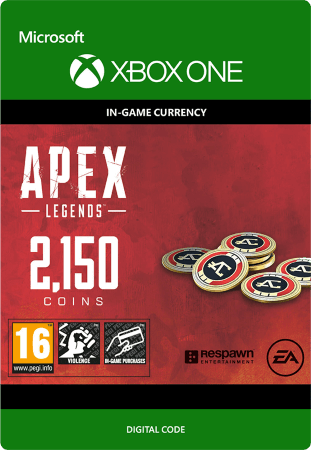
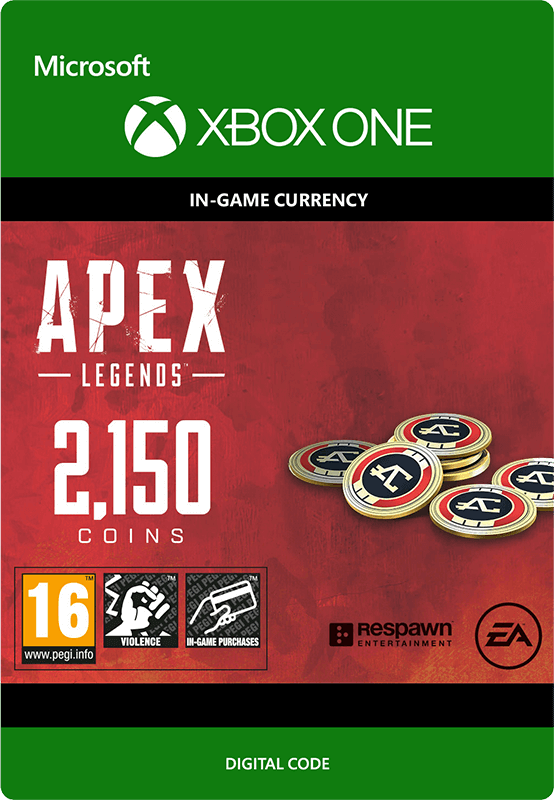
Apex Legends: 2150 Coins
- Buy 2150 Coins for the game Apex Legends on Xbox One and boost this game.
- Buy new characters, loot boxes, the battle pass, and more.
- Make Apex Legends even more challenging by using coins.
Information
What can you use Apex Legends Coins for?
You can use these Apex Coins to make this game title even more challenging, as you can, for example, purchase the Apex Legends battle pass with them, this gives you new challenges and rewards every season of the game. In addition, there is the option to buy new characters, as well as loot boxes, allowing you to obtain new weapons and equipment.
What is Apex Legends?
Electronic Arts (EA) is the publisher of Apex Legends, a free-to-play battle royale title. In the game you land together with your team on a vast map, where you search for weapons and equipment. By playing strategically and eliminating opponents, you try to remain standing as the last team.
What sets Apex Legends apart is its focus on squads of three players and the use of unique playable characters, each with their own special abilities. The gameplay is fast and tactical, where good teamwork is essential to win. Communication takes place not only via voice chat, but also via an innovative ping system that allows players to easily alert each other to enemies, locations or items. Thanks to the regular introduction of new seasons with additional content, the game continues to develop and renew itself.
What you can buy with Apex credit
With Apex Legends Coins you can purchase quite a lot of items in this title.
- New playable characters, also called “Legends”.
- Loot boxes, also known as “Apex Packs”.
- Skins for your Legends and weapons.
- Cosmetic items, such as holo sprays and gun charms.
- Event-based items, which are specifically for certain events.
- Premium Battle Pass, which grants you specific rewards per season.
About the Apex Legends Battle Pass
Apex credit can be used to purchase the battle pass for this game. The pass is linked to a season and is a reward system in which players can unlock new content during a season. By actively playing and completing challenges, you can unlock various cosmetic rewards each season.
Buy Apex Legends: 2150 Coins for Xbox One?
At Gamecardsdirect you can purchase the in-game currency of the title Apex Legends for Xbox One quickly, easily and safely, as we are an official Xbox retailer for a reason. Choose how many coins you want and pay for your purchase using one of the many payment methods we offer. In no time you will have an email in your inbox containing a digital code to redeem your Apex credit, so you can get started straight away. You can also gift Apex Coins to someone else, we even offer a digital gift wrapping service for your present. At Gamecardsdirect we only sell digital products, no physical items.
Description
Purchase 1000 Apex Coins.
This in-game currency can be used to purchase new cosmetic items for characters and weapons in the direct purchase shop.
Apex Coins can also be used to purchase cosmetic Apex Packs and to unlock new characters through the in-game store.
Redeem instructions
How do I redeem my Apex Legends Coins?
When you buy Apex Legends Coins at Gamecardsdirect we will send you a code that you can redeem by the methods listed below.
Redeem your Apex Legends Coins on your Xbox X|S Console
- Log in to your Xbox account
- Press the Xbox button to open the guide and click 'Store'.
- Click 'View' and then select 'Redeem'.
- Enter the code and click 'Next'.
- Follow the instructions on your screen.
Redeem your Apex Legends Coins from the Xbox app
- Open the Xbox app on your device.
- Login to your Microsoft account.
- Click on the Home page and choose 'Redeem a code'
- Choose to manually enter the Apex Legends Coins code and click 'Next'.
- When you have completed all these steps, you will receive a confirmation message.
Redeeming Apex Legends Coins on the Microsoft Store
- Go to the Microsoft Store.
- Click on your picture in the top bar and select 'Redeem code or gift cards'.
- Enter the code you received and select 'Next'.
- Once the code is correctly entered, you will see a confirmation message.
Redeem your Apex Legends Coins from the Microsoft Store website
- Go to the Xbox Microsoft Store website.
- Login to your account.
- Go to 'Games' and click 'Redeem code'
- Enter your code and click 'Next'.
- When the code is verified, you will receive a confirmation message.
- Instant email delivery
- Excellent customer service
- Telephone: +31(0)85 047 75 36
- E-mail support in the weekends
- 1.100.000+ satisfied customers
Limited customer service
during the holidays.
You might like this as well