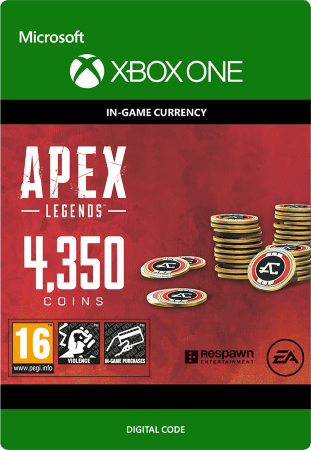
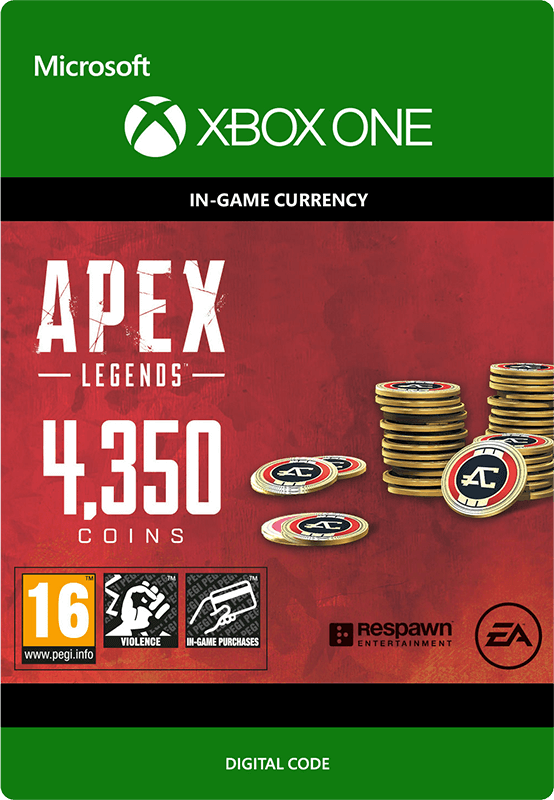

Apex Legends: 4350 Coins
- With 4350 Coins for Apex Legends you give this game a boost for even more fun.
- Buy new characters, weapons, equipment, the battle pass, and more.
- This in-game currency is intended for even more challenge in this game title.
Information
About Apex Legends Coins
Apex Coins are the in-game currency of Apex Legends and provide extra possibilities within the game. With these coins you can, among other things, purchase the battle pass, allowing you to unlock new challenges and rewards each season. You can also use Apex Coins to unlock additional characters and buy loot boxes, enabling you to obtain new weapons and equipment.
The game Apex Legends
The battle royale game Apex Legends is free-to-play and is brought to market by Electronic Arts (EA). Together with your team you enter a large map where you search for weapons and gear. By working well together and eliminating other teams, the goal is to remain as the last team standing. The gameplay focuses on teams of three players and unique playable characters, each with their own abilities. The pace is high and tactical teamwork is a must. Communication takes place not only via voice chat, but also via a convenient ping system, allowing you to coordinate effectively without a microphone. Thanks to new seasons and regular updates, the game continues to develop and evolve.
In-game purchases in Apex Legends
In the game Apex Legends you can buy a great many items with coins, think of new playable characters and loot boxes, as well as skins for your characters and weapons. In addition, you can purchase other cosmetic items, for example holo sprays, and event-limited items. Do not forget that with Apex Coins you can buy the Premium Battle Pass.
Apex Legends Battle Pass
By using Apex credit, you unlock the battle pass within Apex Legends. This is season-based and functions as a kind of reward system. Players gain access to various cosmetic items and rewards throughout the season by playing matches and completing challenges.
Buy Apex Legends: 4350 Coins for Xbox One?
At Gamecardsdirect you can quickly and safely purchase Apex Legends credit for Xbox One. As an official Xbox retailer we offer multiple coin amounts. After your purchase, which you can complete using one of the many payment methods we offer in our webshop, you will receive a digital code by email that you can immediately redeem for Apex Legends currency. In addition, the coins are also suitable to give as a gift, we even wrap them digitally for you, which makes it extra nice. Gamecardsdirect supplies digital products only and no physical items.
Description
Purchase 1000 Apex Coins.
This in-game currency can be used to purchase new cosmetic items for characters and weapons in the direct purchase shop.
Apex Coins can also be used to purchase cosmetic Apex Packs and to unlock new characters through the in-game store.
Redeem instructions
How do I redeem my Apex Legends Coins?
When you buy Apex Legends Coins at Gamecardsdirect we will send you a code that you can redeem by the methods listed below.
Redeem your Apex Legends Coins on your Xbox X|S Console
- Log in to your Xbox account
- Press the Xbox button to open the guide and click 'Store'.
- Click 'View' and then select 'Redeem'.
- Enter the code and click 'Next'.
- Follow the instructions on your screen.
Redeem your Apex Legends Coins from the Xbox app
- Open the Xbox app on your device.
- Login to your Microsoft account.
- Click on the Home page and choose 'Redeem a code'
- Choose to manually enter the Apex Legends Coins code and click 'Next'.
- When you have completed all these steps, you will receive a confirmation message.
Redeeming Apex Legends Coins on the Microsoft Store
- Go to the Microsoft Store.
- Click on your picture in the top bar and select 'Redeem code or gift cards'.
- Enter the code you received and select 'Next'.
- Once the code is correctly entered, you will see a confirmation message.
Redeem your Apex Legends Coins from the Microsoft Store website
- Go to the Xbox Microsoft Store website.
- Login to your account.
- Go to 'Games' and click 'Redeem code'
- Enter your code and click 'Next'.
- When the code is verified, you will receive a confirmation message.
- Instant email delivery
- Excellent customer service
- Telephone: +31(0)85 047 75 36
- E-mail support in the weekends
- 1.100.000+ satisfied customers
Limited customer service
during the holidays.
You might like this as well