Call of Duty Points - 5,000 - Xbox
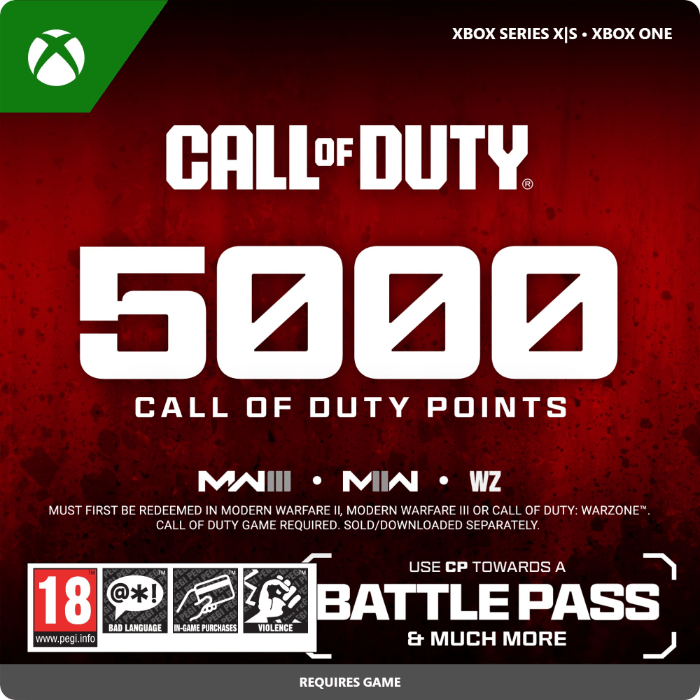
- 5000 CoD points for Xbox Series X|S / Xbox One
- Use CoD Points to buy a Battle Pass and other goodies
- For Modern Warfare, Modern Warfare 2, Vanguard, Black Ops 6 and more
Information
How do Call of Duty Points operate?
Call of Duty Points (abbreviated as CoD Points or CP) on Xbox are a form of premium currency used across multiple Call of Duty titles, including Warzone, Modern Warfare and Black Ops. These Points allow you to unlock a range of in-game content, such as eye-catching skins, new gear, and playable characters that can alter your approach to the game. Some maps and modes require a more discreet playstyle. That can be achieved by choosing a skin that blends well with the environment. You can quickly pick up the most tactical skin with CP or simply choose the one that appeals to your taste.
Are Battle Passes available through CoD Points?
The seasonal Battle Pass is arguably the most frequent way players choose to use their CoD Points, as it delivers strong value. The Battle Pass provides a large number of rewards simply by playing and reaching in-game milestones. Often, players are able to recover the CP they spent on it and gain access to a new operator in the process. Overall, using your CoD Points for a Battle Pass is often considered the most effective option.
Why is it good to buy 5000 CP?
Do you like to keep your character stylish and show off to your friends? Then 5000 CoD Points will allow you to buy quite a bit of cosmetic content to change and switch your character’s appearance, including weapons. With this package you can say goodbye to that old plain gear!
Can I transfer CoD Points to all Call of Duty games?
Yes, you can—well, not all games, but CP works across all Call of Duty titles starting from Call of Duty: Black Ops III and onward, including the latest Black Ops 6. So, no matter which CoD title you're playing, your CP will be ready to use. Plus, if you pick up a new Call of Duty game, you can transfer your CP balance to it, giving you a head start. Here’s a list of the games that support CP:
- Call of Duty: Black Ops III
- Call of Duty: Infinite Warfare
- Call of Duty: Modern Warfare Remastered
- Call of Duty: WWII
- Call of Duty: Black Ops 4
- Call of Duty: Modern Warfare
- Call of Duty: Warzone
- Call of Duty: Black Ops Cold War
- Call of Duty: Vanguard
- Call of Duty: Modern Warfare II
- Call of Duty: Warzone 2.0
- Call of Duty: Modern Warfare III
- Call of Duty: Black Ops 6
- Call of Duty: Black Ops 7
Where can I purchase 5000 CoD Points for Xbox online?
You can get your CoD Points online at Gamecardsdirect, the one-stop gift card shop, which is both quick and secure. Simply select how many CoD Points you’d like, place them in your cart, and fill in your name and email address. Then choose your favourite payment option from our wide variety of methods, like VISA or bank transfer. Once the order is confirmed, the code will be sent to your inbox within seconds, letting you jump straight back into the game. You can also send the Points as a gift by picking the gift-wrap feature at checkout and entering your friend’s email. They’ll receive a personalized email message at no additional cost!
Description
Call of Duty® Points (CP) are the in-game currency used to buy content like Operator Skins, Weapon Blueprints and the latest Battle Pass. Call of Duty® Points can be used in Call of Duty®: Modern Warfare® II, Call of Duty®: Modern Warfare®, Call of Duty®: Vanguard, Call of Duty®: Black Ops Cold War, and Call of Duty®: Warzone™ 2.0.
CALL OF DUTY GAME REQUIRED. SOLD/DOWNLOADED SEPARATELY. MUST FIRST BE REDEEMED IN MODERN WARFARE II OR CALL OF DUTY: WARZONE 2.0.
Redeem instructions
How do I redeem my Call of Duty Points?
When you buy Call of Duty Points at Gamecardsdirect we will send you a code that you can redeem by the methods listed below.
Redeem your CoD Points on your Xbox X|S Console
- Log in to your Xbox account
- Press the Xbox button to open the guide and click 'Store'.
- Click 'View' and then select 'Redeem'.
- Insert the code you received from us and click 'Next'.
- Then follow the instructions on your screen.
Redeem your Call of Duty Points from the Xbox app
- Open the Xbox app on your mobile phone or tablet.
- Login to your Microsoft account.
- Click on the Home page and choose 'Redeem a code'
- Choose to manually enter the Call of Duty Points code and click 'Next' ('Next').
- When you have completed all these steps, you will receive a confirmation message.
Redeeming CP on the Microsoft Store
- Go to the Microsoft Store.
- Click on your picture in the top bar and select 'Redeem code or gift cards'.
- Enter the code you received from us and select 'Next'.
- Once the code is confirmed, you will see a confirmation message.
Redeem your Call of Duty Points from the Microsoft Store website
- Go to the Xbox Microsoft Store website.
- Login to your account.
- Go to 'Games' and click 'Redeem code'
- Enter your code and click 'Next'.
- When the code is verified, you will receive a confirmation message.
- Instant email delivery
- Excellent customer service
- Telephone: +31(0)85 047 75 36
- E-mail support in the weekends
- 1.100.000+ satisfied customers
Limited customer service
during the holidays.