


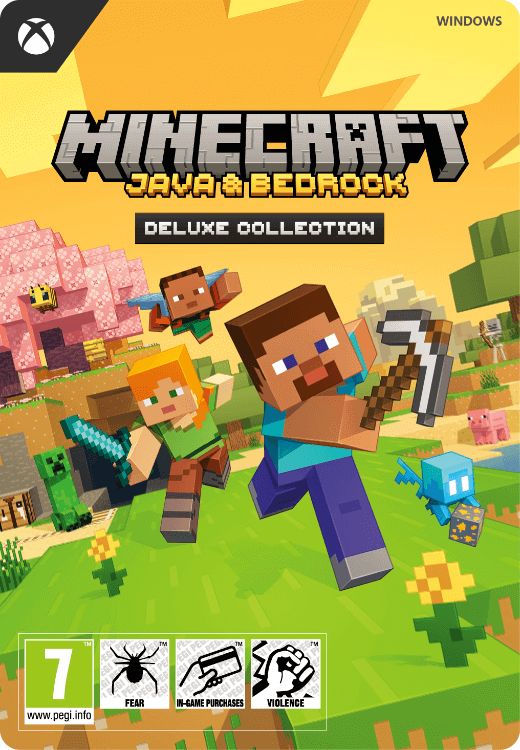
Minecraft Java + Bedrock Deluxe collection
- Explore a fascinating blocky world
- Includes Minecoins, additional maps and items
- Only compatible with a Windows PC
Information
What is Minecraft?
Minecraft is the best-selling game of all time. With over 350 million copies sold and about 170 million active players, it is way more than a game: it’s a self-contained universe where almost everything is possible. The core mechanics of the game involve collecting resources by mining, and then building tools and houses to survive the onslaught of monsters during the night. But what’s most popular with the majority of players is the sandbox mode, where you can freely build whatever you like without having to worry about monsters and such. People have built incredible things in Minecraft, including a worldwide library, huge statues, a working computer and more.
What is included in the Deluxe collection?
This Deluxe Edition for PC includes the base game in both Java and Bedrock versions, and the following additional content:
- 1600 Minecoins
- Five maps: Skyblock One Block, Hacker Tools, Pets Collection, Parkour Spiral, and Original Bed Wars
- Three skin packs: Spy Mobs, Cute Anime Teens, and Cute Mob Skins
- One texture pack: Clarity
- Five Character Creator items
- Three emotes
Please note that some of these items, like the Minecoins, can only be used in the Bedrock version of the game, because the Java version has no support for them.
What is the difference between Java and Bedrock on PC?
The Java version is the original version of Minecraft, and can only run on Windows and Linux. It is very customizable, that’s the reason why some people prefer playing on Java, but it lacks several modern features that are only present in the Bedrock version. For example, the Minecraft store and Minecoins are only available on Bedrock, which is the version used on all consoles and mobile devices. So, if you want to take full advantage of the contents of the Deluxe collection, you will want to play on the Bedrock version. On the other hand, if you are only interested in the game and don’t care about the additional content, you may want to buy the regular Minecraft Java+Bedrock game, which costs less and only provides the base game.
Can I buy Minecraft Deluxe Collection for Win10 online at Gamecardsdirect?
Yes, you can. We are official suppliers for digital Microsoft products, it means you can find the best and most popular Xbox and Windows games on our webstore. Simply add the product to your cart, enter your email address and pay with one of the several methods we can accept. You can also send it to a friend as a gift by selecting our free digital gift-wrap option at checkout. You will then be able to design a nice congratulatory email that we will send to your friend with the code. He can redeem it on the Microsoft Store and download the game. Please note that we don’t sell physical products, you will only receive a digital code.
Description
The Deluxe Collection includes this added content in addition to Minecraft:
1600 Minecoins, five maps, three skin packs, one texture pack, five Character Creator items, and three emotes.
Redeem instructions
Check the game information to see which platform the game is for.
Some of the codes on this page are for Steam, while others are for the Microsoft store. You can find the relevant info in the product information. The code you receive will only work on the right platform.
Redeeming your Minecraft key:
Minecraft Java & Bedrock Edition needs a special procedure:
- Go to: https://www.minecraft.net/nl-nl/redeem
- Enter your code in the yellow “REDEEM MINECRAFT: JAVA & BEDROCK EDITION FOR PC” box
Redeeming Windows keys via the Microsoft store:
- Open the Microsoft Store.
- Click on your icon at the top right of the app and then select ‘Redeem code or gift cards’.
- Enter the 25-character code we sent you, and then click on Redeem. The system will place the hyphens automatically, you don’t need to type them.
Redeeming Steam keys via client:
- Launch the Steam client and log in;
- Click 'Games' in the upper left corner;
- Choose 'Activate a Product on Steam';
- Follow the on-screen instructions;
- The game is redeemed and you can download it!
Redeeming your Steam keys via web browser:
- Go to https://store.steampowered.com/account/registerkey;
- Enter the key you received from us;
- Tick the “I agree to the terms…” box;
- Click 'Continue';
- The game is now available for download.
Age verification

- Instant email delivery
- Excellent customer service
- Telephone: +31(0)85 047 75 36
- E-mail support in the weekends
- 1.100.000+ satisfied customers
Limited customer service
during the holidays.