



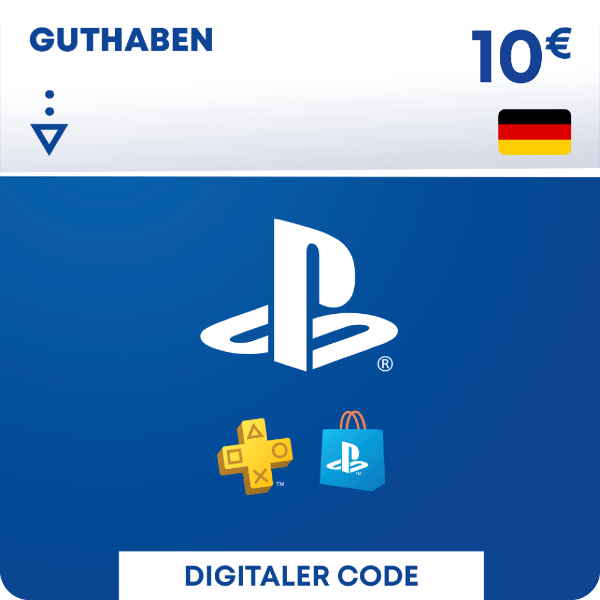
PlayStation Network Card €10
- 10 euro credit for the PlayStation Store
- Only usable for German PSN accounts
- Once redeemed, valid indefinitely
Information
Pay the easy way with a PSN gift card
Using a PSN gift card is a simple way to shop on the PlayStation Store. Whether you’re buying games, content or subscriptions, just redeem your code and start spending. No need to connect a credit card. Your wallet stays prepaid and under your control.
What can you do with a €10 PlayStation Network card?
When you have a €10 PSN card in your pocket the sky’s the limit. Once redeemed in the PS Store you will have a credit of 10 euro that will never expire and that you can use to purchase any item in the store. You could buy some games, or additional content, or in-game credits for specific games. Or you could use your credit to get a subscription to PlayStation Plus, so you can enjoy online gaming with your friends and have access to a bunch of games included in the subscription.
Please note: this code will only work with German accounts, if you want to use it in a different place please select the correct country from the menu in the top-right corner before adding the gift card to your cart.
Send a little joy with a €10 PSN card
Looking for a low-cost gift for someone who owns a PlayStation? A €10 PSN card gives them the freedom to choose what they want. It works for anything in the store, including game credits for popular titles like Fortnite or Call of Duty. Once redeemed, the credit stays valid forever. You can use our free digital gift-wrapping option (available at checkout) to send your purchase as a gift.
Can I buy a €10 PSN card online at Gamecardsdirect?
Yes, you can buy it right here. Gamecardsdirect, the one-stop gift card shop, is the perfect place to buy a PlayStation Network card because we are official resellers. The buying process is very simple and straightforward, we accept many payment methods for your convenience, you will receive your PlayStation gift card almost immediately, and we provide a top-notch customer service in case you need help with anything.
Description
Easily add funds to your PlayStation®Network wallet without the need for a credit card.
Top up your PSN wallet to purchase full games, add-on content and more through PlayStation®Store, accessible with your PS4, PS3 or PS Vita
Some of the great content you'll find on PlayStation®Store includes
- Games and add-on content
- Movies
- Music
- Avatars and themes
For the latest games, movies and TV shows
For the latest games, add-ons and more
Terms and conditions
Redeem instructions
- Sign into your SEN Account. If you don’t have one, create one at playstation.com
- Go to PlayStation®Store on your console or via our website.
- Select the “Redeem Codes” option (for PS Vita, first tap the Options icon at the foot of the screen).
- Enter the 12 digit voucher code and then select “Continue”.
- Follow the on-screen instructions to redeem your voucher code.
How do you activate your PlayStation Network Card via the Sony website?
Please follow these steps to redeem your code via the PSN website:
- Go to the Sony website and Sign in;

- Click on your profile pic in the top right and select Redeem code;
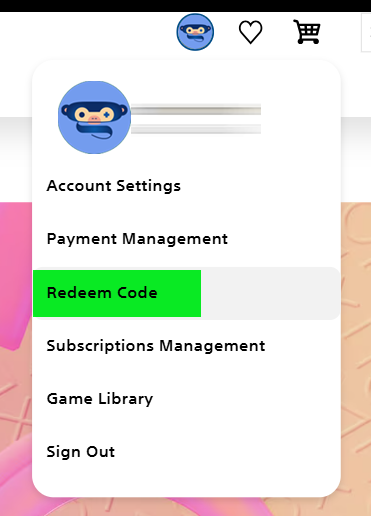
- Enter the code, click Next and confirm one last time. Have fun!

How do you activate your PlayStation Network Card on a PS5 console?
Do you want to redeem your PSN code via your PS5 console? Please follow these steps to redeem your code:
- Select the PlayStation Store icon and open the menu (three dots in the top right corner)

- Select … (More) > Redeem Code.
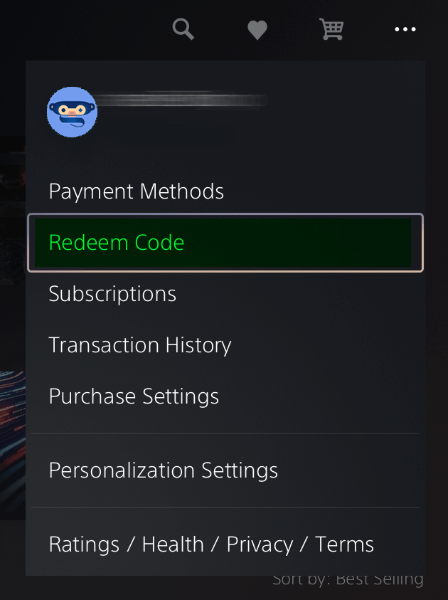
- Carefully enter the 12-digit code and select Redeem.

How do you activate your PlayStation Network Card on a PS4 console?
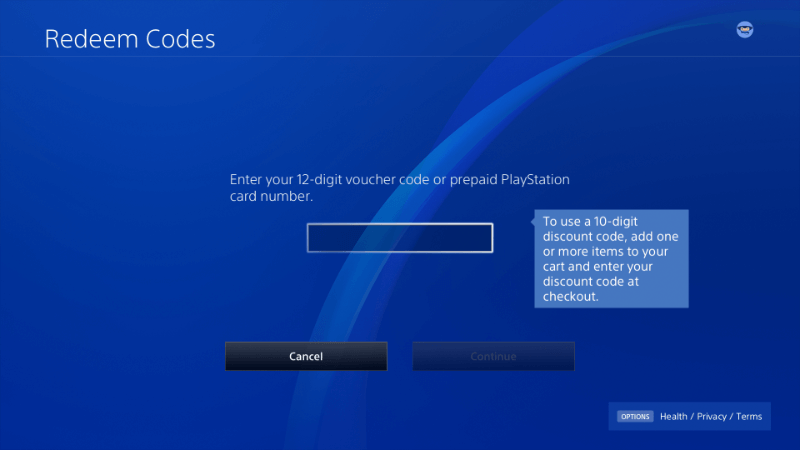
Do you want to redeem your PSN code via your PS4 console? Please follow these steps to redeem your code:
- Go to the Store in your main menu;
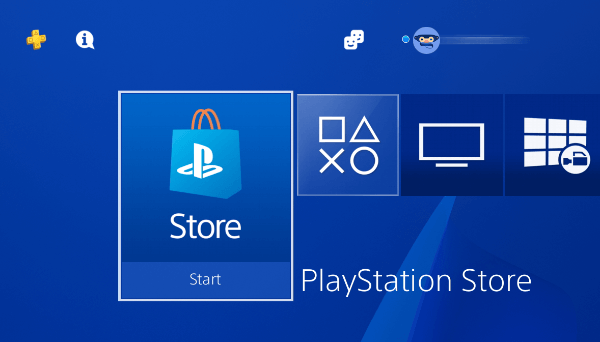
- Scroll down and choose Redeem code;

- Enter your Code and confirm. Have fun!
How do you activate your PlayStation Network Card via the PS app?
It’s possible to redeem codes on your mobile phone by using the PS app.
- Select the Store icon (bottom center);
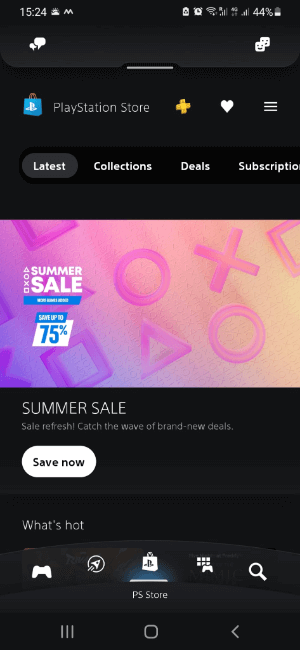
- Click on the Options icon (top right);

- Select “Redeem Code”;
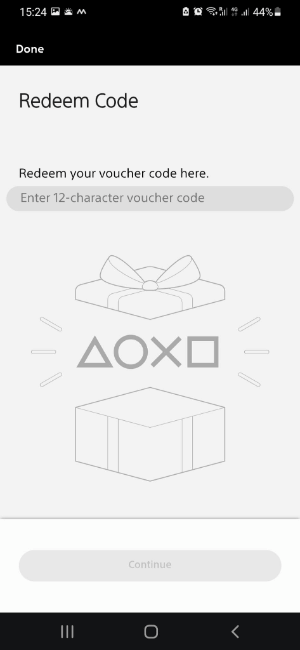
- Type your code and click Continue, follow the instructions.
- Instant email delivery
- Excellent customer service
- Telephone: +31(0)85 047 75 36
- E-mail support in the weekends
- 1.100.000+ satisfied customers
Limited customer service
during the holidays.