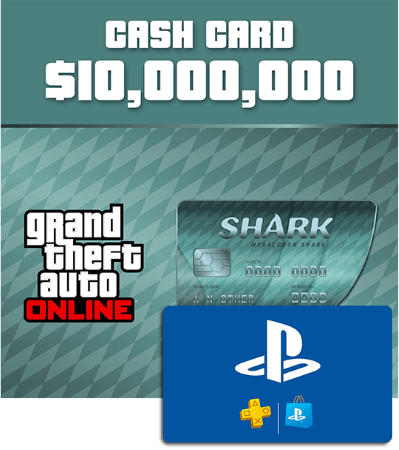

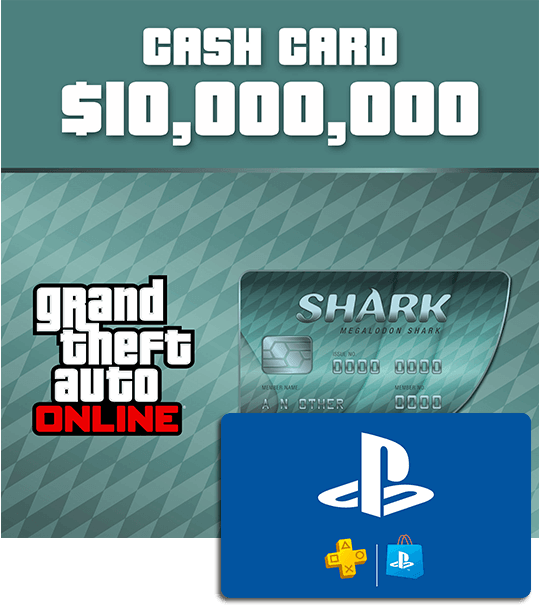
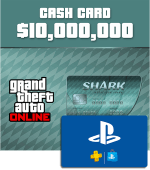
PSN card worth €74.99 - to spend on GTA Online Megalodon Shark Card
- Add funds to PSN and use it to buy a Megalodon card
- Purchase weapons, vehicles and other goodies in GTA Online
- 10.000.000 GTA dollars for you
Information
Get 10,000,000 GTA dollars for GTA Online
Looking to make some serious purchases in Los Santos? The Megalodon Shark Card gives you a massive 10,000,000 GTA dollars to spend in GTA Online. Whether you're planning to expand your property portfolio, buy expensive vehicles or invest in businesses, this is the largest of the standard Shark Card options. This product costs €74.99 and provides the PlayStation credit needed to buy the Megalodon Shark Card. You do not receive a Megalodon Shark Card code directly.
Please note: both the price of the card and the GTA$ value may change without warning.
How does the Megalodon Shark Card work on PlayStation?
After your purchase, you will receive a PlayStation Store gift card code by email. Redeem it on your PlayStation account to add the funds to your PSN wallet, then use this credit to purchase the Megalodon Shark Card from the PlayStation Store. Remember that PlayStation Store gift cards are region-specific. The country of the code must match the country registered to your PlayStation account.
What can I buy with 10 million GTA dollars?
With 10,000,000 GTA dollars, you have plenty of possibilities in GTA Online. Spend your balance on:
- high-end cars and other vehicles
- weapons and equipment
- apartments and luxury properties
- businesses and upgrades
- clothing and accessories
You can spend your GTA dollars straight away or save them for some of the most expensive items available in GTA Online.
What is GTA Online?
GTA Online is the multiplayer world of Grand Theft Auto V, where up to 30 players can explore Los Santos and Blaine County together. Complete missions and heists, compete against other players, collect vehicles and properties or build your own criminal empire. Playing GTA Online earns you GTA dollars, but Shark Cards provide an alternative way to increase your balance when you want additional in-game funds.
Can I gift a Megalodon Shark Card?
Yes. Since this product provides a PlayStation Store gift card, you can give the code to another PlayStation player. They can add the PSN credit to their wallet and use it to purchase the Megalodon Shark Card themselves. Make sure their PlayStation account is registered in the same country as the gift card code before ordering.
Buy PlayStation credit for a Megalodon Shark Card
At Gamecardsdirect, the one-stop gift card shop, you can quickly purchase the PlayStation Store credit needed for a Megalodon Shark Card. Add the product to your cart, choose one of the available payment methods and complete your order. Your digital PlayStation Store code will be delivered by email.
Redeem your code on PlayStation, purchase the Megalodon Shark Card and get 10,000,000 GTA dollars to spend in GTA Online. Prefer a smaller amount? Check out our other Shark Card products to find the option that suits you.
Terms and conditions
Redeem instructions
- Sign into your SEN Account. If you don’t have one, create one at playstation.com
- Go to PlayStation®Store on your console or via our website.
- Select the “Redeem Codes” option (for PS Vita, first tap the Options icon at the foot of the screen).
- Enter the 12 digit voucher code and then select “Continue”.
- Follow the on-screen instructions to redeem your voucher code.
How do you activate your PlayStation Network Card via the Sony website?
Please follow these steps to redeem your code via the PSN website:
- Go to the Sony website and Sign in;

- Click on your profile pic in the top right and select Redeem code;
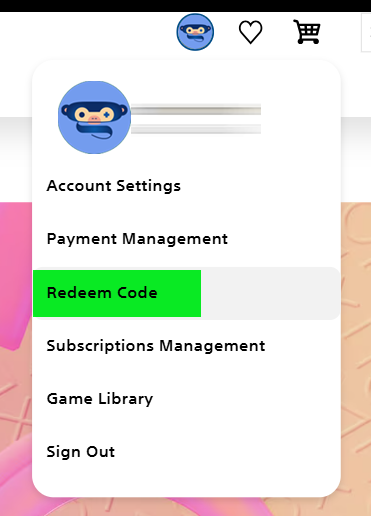
- Enter the code, click Next and confirm one last time. Have fun!

How do you activate your PlayStation Network Card on a PS5 console?
Do you want to redeem your PSN code via your PS5 console? Please follow these steps to redeem your code:
- Select the PlayStation Store icon and open the menu (three dots in the top right corner)

- Select … (More) > Redeem Code.
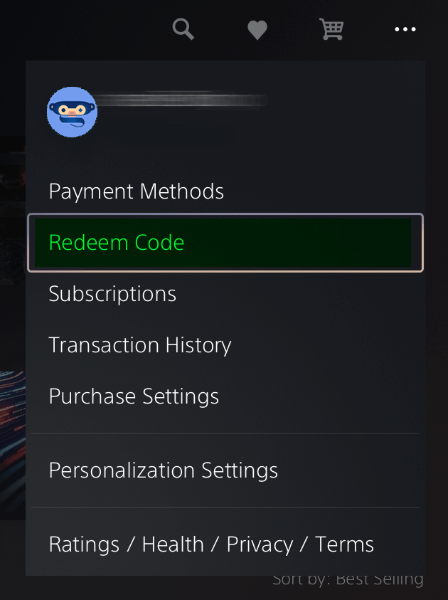
- Carefully enter the 12-digit code and select Redeem.

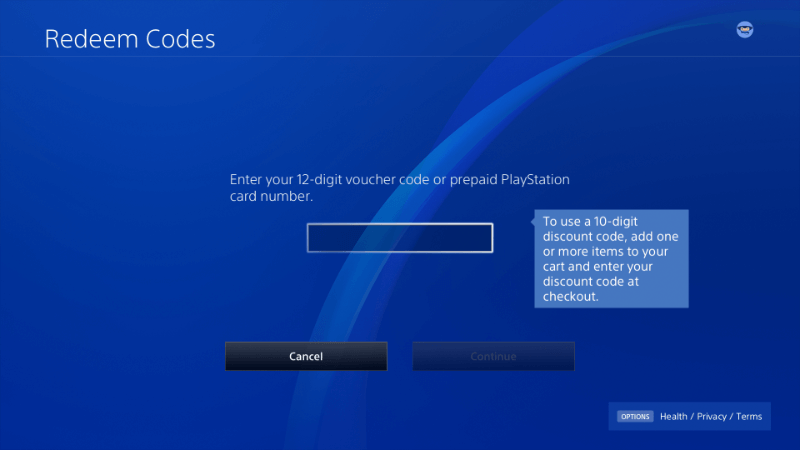
How do you activate your PlayStation Network Card on a PS4 console?
Do you want to redeem your PSN code via your PS4 console? Please follow these steps to redeem your code:
- Go to the Store in your main menu;
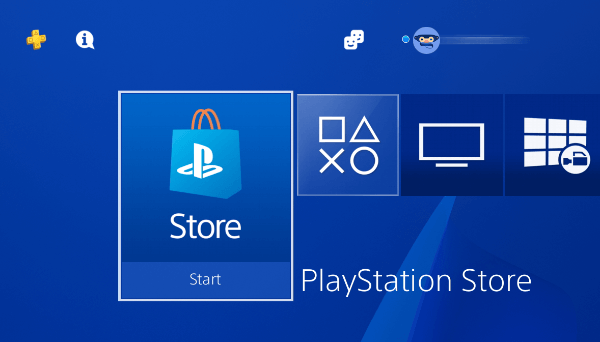
- Scroll down and choose Redeem code;

- Enter your Code and confirm. Have fun!
How do you activate your PlayStation Network Card via the PS app?
It’s possible to redeem codes on your mobile phone by using the PS app.
- Select the Store icon (bottom center);
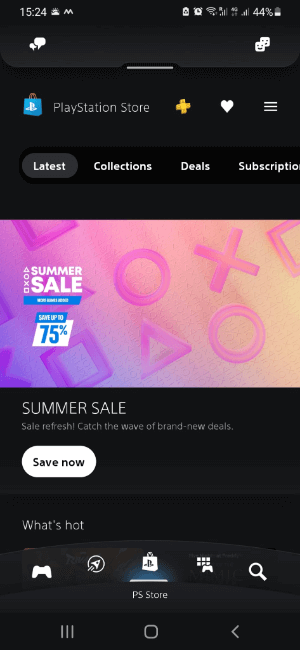
- Click on the Options icon (top right);

- Select “Redeem Code”;
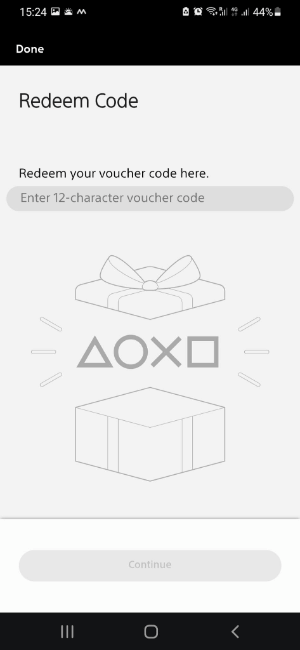
- Type your code and click Continue, follow the instructions.
- Instant email delivery
- Excellent customer service
- Telephone:
+31(0)85 047 75 36 - E-mail support in the weekends
- 1.100.000+ satisfied customers
Limited customer service
during the holidays.
Due to the heat, this week our customer
service team will be available from 07:00 to 15:30.
Emails to Outlook, Hotmail and Live may be delayed. If you haven’t received anything after 30 minutes, please contact us.
Contact
You might like this as well