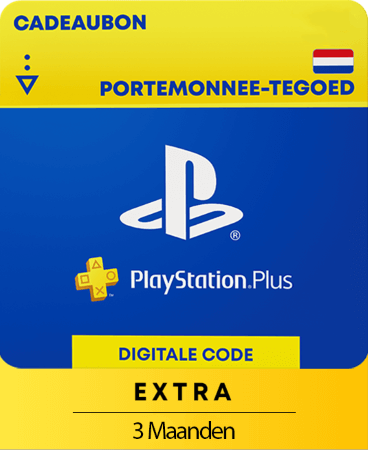



PlayStation Plus Extra 1 month
- Play online and get free games
- Enough credit for 1 month of PS Plus Extra
- Only valid for Dutch accounts
Information
What is PlayStation Plus and what does the Extra tier include?
PlayStation Plus is Sony’s subscription service for PlayStation users. It gives you access to online multiplayer, free monthly games, and other benefits depending on your chosen tier. This particular card provides a one-month membership to the Extra tier.
What features are included in the Extra tier?
The Extra tier is the mid-level option in the PS Plus subscription plan. As a member, you receive:
- Online multiplayer access
- Three free games each month (while your membership remains active)
- Full access to the Game Catalogue with hundreds of titles
- Access to the Ubisoft Classics collection
- Cloud saves for your game data
- Exclusive discounts in the PlayStation Store
Where can you find the list of current free games?
New free games are added to PS+ every month. These are announced on PlayStation’s official blog and social media. For a clear monthly overview, you can also visit our PlayStation Plus Free Games blog.
What type of code will you receive?
You will get a PlayStation Network credit code equal in value to a one-month subscription to PlayStation Plus Extra. Once you redeem the code on the PlayStation Store, you can activate the subscription using the wallet balance.
Does the gift card have an expiration period?
Yes, this PlayStation code is valid for 24 months from the date of purchase. Make sure to redeem it within that time frame. Once the credit is in your PS wallet, it will not expire.
How can you buy a one-month PlayStation Plus Extra subscription for the Netherlands online?
You can purchase it at Gamecardsdirect, the one-stop gift card shop. We are official resellers for PlayStation digital products. Simply add the subscription to your cart, enter your email address, and choose the digital gift-wrap option if you're sending it to someone. Pick a payment method such as iDeal or PayPal, and the digital code will be emailed to you within minutes.
Terms and conditions
Redeem instructions
How do the PlayStation Plus gift cards work?
The PS Plus gift cards you buy at Gamecardsdirect don’t directly provide a subscription to the service. What they do, instead, is adding the right amount of credit to your account, which you can use to purchase a subscription at the store.
How to redeem your PS Plus card via the Sony website?
If you want to redeem your code via the PSN website follow these steps:
- Visit the Sony website and Sign in;
- Click on your profile pic in the top right and select Redeem code;
- Enter the code, click Next and confirm one last time.
- Use the credit you just added to your account to purchase the desired subscription
How do you redeem your PS Plus card on a PS5 console?
If you want to redeem your code via your PS5 console please follow these steps:
- Select the PlayStation Store icon and press the triangle button to access the menu.
- Select … (More) > Redeem Code.
- Enter the 12-digit code and select Redeem.
- Buy the desired subscription with the credit you redeemed.
How can you redeem your PS+ code on a PS4 console?
In case you want to redeem your PS Plus code via your PS4 console, follow the following steps:
- Go to the Store in your main menu;
- Scroll down and choose Redeem code;
- Enter your Code and confirm.
- You now have funds. Buy the PS+ subscription you want.
Can I redeem the PlayStation Plus code via the PS app?
Sure, it’s possible to redeem codes on your mobile phone by using the PS app.
- Select the Store icon (bottom center);
- Click on the Options icon (top right);
- Select “Redeem Code”;
- Type your code and click Continue, follow the instructions.
- Once you have new credit in your account, buy the PS+ subscription in the PS Store.
- Instant email delivery
- Excellent customer service
- Telephone:
+31(0)85 047 75 36 - E-mail support in the weekends
- 1.100.000+ satisfied customers
Limited customer service
during the holidays.